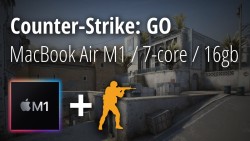
Counter-Strike: Global Offensive - Dust 2 Deathmatch - MacBook Air M1 7-core GPU - Medium settings
2021
R
संयुक्त राज्य अमेरिका
PC Game
A round of Counter-Strike: Global Offensive mode played at medium settings on a MacBook Air M1 (2021) with 16gb RAM and a 7-core GPU to showcase the laptop's performance.
Timeline:
0:00 MacBook Air M1 specs
0:15 Game settings
1:05 Game begins
11:11 Game ends
11:28 Thermals
12:48 Activity Monitor
Overview:
This video follows a previous upload that showcases a round of Dust 2 Deathmatch at high (ish) settings. In this video the settings are lowered to medium across the board. The visuals and performance didn't seem to differ too drastically, with an average of about ~50-60 FPS being achievable, but still after about 10 minutes the FPS would dip into the low 30s. While recording the laptop would typically be in the ~90 degree range with a peak of 98 degrees.
Details:
- MacBook Air M1 (2021) with 16gb RAM and 7-core GP
- Recorded with the MacBook's native Quicktime application
- Edited and exported with VN - Video Editor (https://www.vlognow.me/)
- Counter-Strike: Global Offensive (https://store.steampowered.com/app/730/CounterStrike_Global_Offensive/)
Art, logos and audio belong to their respective Riot Games and Apple owners.
A different video that showcases Counter-Strike: Global Offensive on a MacBook Air M1 with high (ish) settings can be found here: https://www.youtube.com/watch?v=ShwJ3tT2BDY
More
0 /10
0 people rated
Counter-Strike: Global Offensive - Dust 2 Deathmatch - MacBook Air M1 7-core GPU - Medium settings
2021
R
संयुक्त राज्य अमेरिका
PC Game
A round of Counter-Strike: Global Offensive mode played at medium settings on a MacBook Air M1 (2021) with 16gb RAM and a 7-core GPU to showcase the laptop's performance.
Timeline:
0:00 MacBook Air M1 specs
0:15 Game settings
1:05 Game begins
11:11 Game ends
11:28 Thermals
12:48 Activity Monitor
Overview:
This video follows a previous upload that showcases a round of Dust 2 Deathmatch at high (ish) settings. In this video the settings are lowered to medium across the board. The visuals and performance didn't seem to differ too drastically, with an average of about ~50-60 FPS being achievable, but still after about 10 minutes the FPS would dip into the low 30s. While recording the laptop would typically be in the ~90 degree range with a peak of 98 degrees.
Details:
- MacBook Air M1 (2021) with 16gb RAM and 7-core GP
- Recorded with the MacBook's native Quicktime application
- Edited and exported with VN - Video Editor (https://www.vlognow.me/)
- Counter-Strike: Global Offensive (https://store.steampowered.com/app/730/CounterStrike_Global_Offensive/)
Art, logos and audio belong to their respective Riot Games and Apple owners.
A different video that showcases Counter-Strike: Global Offensive on a MacBook Air M1 with high (ish) settings can be found here: https://www.youtube.com/watch?v=ShwJ3tT2BDY
More
0 /10
0 people rated
ऑनलाइन देखें
ऐप में देखें
Watch on TV
एपिसोड
शीर्ष कलाकार
उपयोगकर्ता समीक्षा
एपिसोड
शीर्ष कलाकार
उपयोगकर्ता समीक्षा
एपिसोड
film
lklk
Netflix
Plex
उपयोगकर्ता समीक्षा
user9761558442215
04/07/2026 04:13
Counter-Strike: Global Offensive - Dust 2 Deathmatch - MacBook Air M1 7-core GPU - Medium settings
Hesky Ted
04/07/2026 04:13
Counter-Strike: Global Offensive - Dust 2 Deathmatch - MacBook Air M1 7-core GPU - Medium settings
— No more content —
उपयोगकर्ता समीक्षा
user9761558442215
04/07/2026 04:13
Counter-Strike: Global Offensive - Dust 2 Deathmatch - MacBook Air M1 7-core GPU - Medium settings
Hesky Ted
04/07/2026 04:13
Counter-Strike: Global Offensive - Dust 2 Deathmatch - MacBook Air M1 7-core GPU - Medium settings
— No more content —
Disclaimer: All videos and pictures on MovieBox are from the Internet, and their copyrights belong to the original creators. We only provide webpage services and do not store, record, or upload any content.


 बिना रुकावट फिल्में और शो देखें
 अपना पसंदीदा कंटेंट डाउनलोड करो ताकि ऑफ़लाइन देख सको
 सिंपल इंटरफ़ेस & स्मूथ परफॉर्मेंस