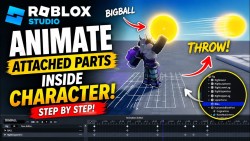
Roblox Studio Tutorial Animate Objects Inside Character Rig
2026
R
الولايات المتحدة
Mobile Game
Learn how to animate attached parts inside a Roblox character using Motor6D and the Animation Editor in Roblox Studio.
In this tutorial, we create a glowing BIGBALL effect and animate it together with a throwing animation for a cool energy attack effect.
Chapters
00:00 Intro
00:19 Spawn Dummy Character
00:24 Open Animation Editor
00:31 Create New Animation
00:44 Animate Throw Motion
01:06 Save Animation
01:17 Create BIGBALL Sphere
01:24 Set Neon Material
01:35 Parent BIGBALL Into Rig
01:39 Add Motor6D
01:43 Configure Part0 and Part1
01:52 Animate BIGBALL
02:23 Final Result
02:37 Outro
Subscribe for more Roblox Studio tutorials and scripting videos.
#RobloxStudio #RobloxDev #RobloxTutorial #GameDev #Lua #RobloxAnimation #Motor6D #RobloxScripting #RobloxVFX
More
0 /10
0 people rated
Roblox Studio Tutorial Animate Objects Inside Character Rig
2026
R
الولايات المتحدة
Mobile Game
Learn how to animate attached parts inside a Roblox character using Motor6D and the Animation Editor in Roblox Studio.
In this tutorial, we create a glowing BIGBALL effect and animate it together with a throwing animation for a cool energy attack effect.
Chapters
00:00 Intro
00:19 Spawn Dummy Character
00:24 Open Animation Editor
00:31 Create New Animation
00:44 Animate Throw Motion
01:06 Save Animation
01:17 Create BIGBALL Sphere
01:24 Set Neon Material
01:35 Parent BIGBALL Into Rig
01:39 Add Motor6D
01:43 Configure Part0 and Part1
01:52 Animate BIGBALL
02:23 Final Result
02:37 Outro
Subscribe for more Roblox Studio tutorials and scripting videos.
#RobloxStudio #RobloxDev #RobloxTutorial #GameDev #Lua #RobloxAnimation #Motor6D #RobloxScripting #RobloxVFX
More
0 /10
0 people rated
شاهد أونلاين
شاهد في التطبيق
Watch on TV
الحلقات
أفضل الممثلين
تقييمات المستخدمين
الحلقات
أفضل الممثلين
تقييمات المستخدمين
الحلقات
film
lklk
Netflix
Plex
تقييمات المستخدمين
🙈Parul🙉 Dabas🙊
12/05/2026 00:23
Roblox Studio Tutorial Animate Objects Inside Character Rig
— No more content —
تقييمات المستخدمين
🙈Parul🙉 Dabas🙊
12/05/2026 00:23
Roblox Studio Tutorial Animate Objects Inside Character Rig
— No more content —
Disclaimer: All videos and pictures on MovieBox are from the Internet, and their copyrights belong to the original creators. We only provide webpage services and do not store, record, or upload any content.


 استمتع بأفلام وبرامج بلا حدود
 حمل ما تحب وشاهد بدون إنترنت
 واجهة بسيطة وأداء سلس